
WHAT IS MAILCHIMP ALL ABOUT
For small businesses and entrepreneurs, email marketing is one of the most effective ways to grow your audience and increase sales. One of the most popular tools for this is Mailchimp. This guide will explain what Mailchimp does, how to use it, and how it can help your business succeed.
What is Mailchimp?
Mailchimp is an all-in-one marketing platform that helps businesses communicate with their audience, send campaigns, and automate marketing tasks. While it’s widely known for email marketing, it also offers automation, audience management, landing pages, and analytics.
It is ideal for small businesses, startups, and creators who want to grow their email list, nurture leads, and increase conversions.
How Mailchimp Work
Mailchimp works by helping you connect with your audience, send targeted messages, and track results. The main workflow is:
- Collect Contacts – Build your email list using signup forms, landing pages, or integrations.
- Segment Your Audience – Organize contacts based on behavior, interests, or demographics.
- Create Campaigns – Send emails, newsletters, or automated sequences to your audience.
- Automate Marketing – Set up workflows like welcome emails, abandoned cart reminders, and follow-ups.
- Analyze Performance – Use analytics to measure opens, clicks, conversions, and optimize campaigns.
Features Mailchimp Offers
| Feature | What It Does | Benefit to Business |
|---|---|---|
| Email Campaigns | Design and send professional emails to your audience | Keeps your audience engaged, promotes products, and drives sales |
| Automation | Create automated workflows (welcome emails, abandoned cart reminders) | Saves time and nurtures leads automatically, increasing conversions |
| Segmentation | Divide your audience by behavior, demographics, or interests | Ensures your emails are relevant, boosting open and click rates |
| Landing Pages | Build pages to capture leads or promote products | Helps grow your email list and generate leads without a website |
| A/B Testing | Test subject lines, content, and designs | Optimizes campaigns for higher engagement and better results |
| Analytics & Reports | Track email performance: opens, clicks, conversions | Data-driven insights help improve campaigns and ROI |
| CRM Tools | Manage contacts and track customer interactions | Helps you understand your audience and improve targeting |
| Integrations | Connect with e-commerce platforms, social media, and apps | Streamlines marketing across multiple platforms for efficiency |
| SMS Marketing | Send text messages to subscribers | Reaches customers directly on their phones for immediate engagement |
| Creative Tools | Drag-and-drop email builder, templates, images, and graphics | Makes creating professional emails fast and easy |
How to Use Mailchimp
Here’s a step-by-step guide for beginners:
Step 1: Create an Account
- Go to Mailchimp.com
- Sign up using your email and create a password
- Choose a plan (Free plan available for small businesses)
Step 2: Add Contacts
- Import contacts via CSV or manually
- Or use a signup form or landing page to collect emails
Step 3: Segment Your Audience
- Divide contacts based on interests, purchase history, or engagement
- Segmentation ensures each subscriber receives relevant emails
Step 4: Create a Campaign
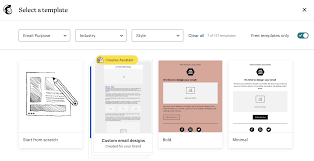
- Choose an email template or design from scratch
- Add your content: images, text, links, and CTA buttons
- Personalize emails using subscriber names for better engagement
Step 5: Set Up Automation
- Create automated workflows like welcome emails or abandoned cart reminders
- Schedule emails to send at the best time for your audience
Step 6: Analyze Campaign Performance
- Check open rates, click-through rates, and conversions
- Use insights to optimize future campaigns
How Mailchimp Can Help Your Business
5.1 Build Your Email List
- Use landing pages and signup forms to capture leads
- Grow your audience and maintain direct communication
5.2 Boost Sales
- Send targeted offers and promotions
- Recover abandoned carts with automated emails
5.3 Improve Customer Relationships
- Engage customers with newsletters, tips, and updates
- Build trust and loyalty over time
5.4 Save Time with Automation
- Set up sequences that run automatically
- Focus on growing your business while Mailchimp handles repetitive tasks
5.5 Make Data-Driven Decisions
- Analytics allow you to see what works and what doesn’t
- Optimize campaigns to increase engagement and ROI
6. Common Tips for Getting the Most Out of Mailchimp
- Segment your audience – Avoid sending the same email to everyone.
- Personalize content – Use names, purchase history, or location.
- Test campaigns – Use A/B testing for subject lines and content.
- Use automation – Set workflows for welcome emails, promotions, and follow-ups.
- Track results – Monitor analytics to optimize for better conversions.
Final idea and tips.
Mailchimp is more than an email tool—it’s a complete marketing platform that can help your business build relationships, drive sales, and save time. By leveraging its features like automation, segmentation, analytics, and landing pages, small businesses and startups can turn clicks into paying customers while growing their brand.
Tip: Start with the free plan, focus on building your email list, and experiment with automation to see the fastest results.